Monday, July 28, 2008

Disaster Recovery: Planning for success

Can anyone think of anything else to put on my short list? Keep in mind we only support about 60 users internally and 30 customers externally.

The battery backup and cooling aren't as critical at this point since they will depend largely on what hardware we end up getting. We are already licensed for Symantec Backup Exec and will likely continue with that software. The backup hardware will depend on the other hardware selected.

I think our biggest challenge is going to be getting a SAN that can provide enough spindles to separate workloads without scaling out to several shelves or wasting a lot of storage.

Blade Chassis


Vendor / Model
SizeBaysComments
HP c30006U8
HP c700010U8 or 16Can use full-height or half-height blades
Dell M1000E10U8 or 16All servers are half-height, I/O blades can be either half-height or full-height.
IBM BladeCenter E7U14Options List
IBM BladeCenter S7U6

2 dedicated disk storage module bays
Options List


IBM BladeCenter H9U14Options List

Server Blades


Vendor / Model
CPU
Max Mem
Local Storage
Size
Comments
HP Proliant BL460c2x Xeon64GB2x SAS or SATAhalf-height
HP Proliant BL465c2x Opteron32GB2x SAS or SATAhalf-height
HP Proliant BL480c2x Xeon48GB4x SAS or SATAfull-height
HP Proliant BL685c4x Opteron64GB2x SAS or SATAfull-height
Dell M6002x Xeon64GB2x SAS or SATAhalf-height
Dell M6052x Opteron64GB2x SAS or SATAhalf-height
IBM HS121x Xeon24GB2x SAS or SATAN/A
IBM HS212x Xeon16GB2x SAS or SATAN/A
IBM LS212x Opteron32GB1x SASN/A

Storage


Vendor / Model
Protocols
Bays
Drive Type(s)
Max Capacity
Max Hosts
Comments
HP StorageWorks 1200riSCSI12SAS or SATA12TB, 1 enclosure, 12 drives
There are expansion options, I just didn't understand them.
HP Storageworks SB600c (blade)iSCSI8SAS1.16TB (8 x 146GB 10K SFF SAS)

Dell PowerVault MD3000i iSCSIiSCSI15SAS, SATA45TB, 3 enclosures, 45 drives16
Dell/EMC CX3-10ciSCSI, FC15FC, SATA24TB FC, 60TB SATA, 4 enclosures, 60 drives64
Dell PowerVault NX1950iSCSI15SAS, SATA30TB, 2 enclosures, 30 drives

IBM DS4700FC16FC, SATA33.6TB SATA, 112TB FC, 7 enclosures, 112 drives16
IBM DS3400FC12SAS, SATA14.4TB SAS, 48TB SATA, 4 enclosures, 48 drives

EMC CLARiiON AX4iSCSI, FC12SAS, SATA60TB, 5 enclosures, 60 drives


Network Switches


Vendor / Model
Ethernet Ports
GBIC/SFP Ports
Speed
Routing
Comments
HP ProCurve 2900-24G244x SFPGigLayer 3/4
HP ProCurve 2900-48G484x SFPGigLayer 3/4
HP ProCurve 3400cl-24G204x mini-GBICGigLayer 3/4
HP ProCurve 3400cl-48G444x mini-GBICGigLayer 3/4
Cisco Catalyst 3560-24TS244 SFPGigLayer 3/4
Cisco Catalyst 3560-48TS484 SFPGigLayer 3/4

Firewalls


Vendor / Model
VPN (Incl/Max)
Comments
Watchguard Firebox X750e UTM Bundle50/100
Sonicwall NSA 350050
Cisco ASA 5510 Security Plus250
Cisco ASA 5520750

Cooling Solutions


Vendor / Model
Comments
Knürr CoolAdd
Knürr CoolTherm
APC Rack Air Removal Unit SX

Battery Backup (UPS)


Vendor / Model
Comments
Liebert GXT2
Liebert PowerSure PSI
APC Symmetra RM
APC Symmetra LX


P.S. I apologize if anyone's RSS reader went haywire as I edited this like mad for the last 45 minutes. I copied the above out of our wiki and pasted it in, and Blogger did some crazy stuff with the tables. I had to put negative top margins on them or they had anywhere from 150px to 350px of extra space above them.

Excel to Wiki converter

I've been documenting like a fiend lately and I couldn't have done it without this amazing Excel to Wiki converter. It makes it a LOT easier to deal with tables in MediaWiki markup.

FCC rules against Comcast for blocking file sharing

You can read the details here. What's interesting is Comcast is getting knocked for blocking P2P traffic but there is no mention of the collateral damage they caused. Comcast's language is also highly conflicted.

From the WSJ article linked above:

The company has acknowledged it slowed some traffic, but said it was necessary to prevent a few heavy users from overburdening its network.


"We continue to assert that our network-management practices were reasonable, wholly consistent with industry practices and that we did not block access to Web sites or online applications, including peer-to-peer services," said Sena Fitzmaurice, a Comcast spokeswoman.


And from an AP article in October 2007 (as excerpted by Ed Brill since the original article is no longer online):
Comcast has repeatedly denied blocking any Internet application, including "peer-to-peer" file-sharing programs like BitTorrent, which the AP used in its nationwide tests.

On Tuesday, Mitch Bowling, senior vice president of Comcast Online Services, added a nuance to that statement, saying that while Comcast may block initial connection attempts between two computers, it eventually lets the traffic through if the computers keep trying. ...

However, users also reported Comcast blocking some transfers of e-mails with large attachments through an application that is fully in the legal sphere: Lotus Notes, an IBM Corp. program used in corporate settings.

Kevin Kanarski, a network engineer for a major law firm, noticed the disruption in August and eventually traced the problem to Comcast. But he got the cold shoulder from the company's customer support department.

On Tuesday, Bowling acknowledged the problem, saying it was unintentional and due to a software bug that has been fixed. Kanarski said transfers started working again last week.


So they acknowledge they slowed some traffic, but they claim they didn't block anything. Yet they also admit to blocking. Except they don't do that. But sometimes they do. That's a heaping helping of WTF?! Danny Lawrence sums it up well in comments on Ed's site:
Comcast was summarily killing the connection at both ends, and they call that a "delay"? I think Mr Bowling's statement should be enshrined in the annals of corporate doublespeak.

Friday, July 25, 2008

Installing VMWare Server 1.0.6 on Windows Vista Home Premium SP1 64-bit

First things first: I did not choose Vista. My boss bought a Gateway DX4710, which is a quad-core CPU with 6GB RAM, with the idea that we could install Windows Server 2003 on it. Unfortunately there are no drivers for Win2k3 and I'm stuck with Vista Home Premium.
Since we're without a test environment at the moment I decided to try installing VMWare Server 1.0.6 on it. Even though I can't add the Vista Home machine to our Active Directory network, I can add virtual machines. The host OS doesn't matter to me in the least, just the virtual environment.

Getting VMWare Server installed proved a challenge because Vista Home wants demands digitally signed drivers. VMWare doesn't come with those, so you have to disable the driver signing requirement. Vista also enables some TCP/IP options on the NIC that you have to disable in order to connect to the local VMWare host with the VMWare Server console.

Disabling driver signing


  1. Press F8 after your BIOS POST screen to get to the Vista boot menu
  2. Scroll down and select the Disable driver signing requirement option.
  3. Log into Vista
  4. Open a command prompt and enter the following commands:
    bcdedit /set nointegritychecks ON
    bcdedit -set loadoptions DDISABLE_INTEGRITY_CHECKS
  5. Restart Vista

Updating the NIC settings


  1. Start > Control Panel
  2. Locate the Network and Internet entry and click the View network status and tasks link under it
  3. Locate your NIC in the list and click View Status
  4. Click Properties in the status dialog
  5. Click the Configure button located at the top of the properties dialog, below the hardware listing
  6. Click the Advanced tab
  7. Change all the following to Disabled
    Flow Control
    IPv4 Checksum offload
    TCP Checksum offload (IPv4)
    UDP Checksum offload (IPv4)

Installing VMWare Server


A reasonable person may think that after changing these settings you should be good to go. Alas, you'd be wrong. You must go to the Vista boot menu and disable the driver signing requirement every time you reboot the computer. You will also get errors when installing VMWare server about the drivers being unsigned. If you click through the errors it will install the VMNet adapters just fine.

After you get VMWare Server installed and you launch the server console you need to select the Localhost option. If you don't see Localhost you either didn't boot Vista with the driver signing option disabled or you didn't change your NIC configuration.

Conclusion


After going through all this, I don't think we're going to use this system to run VMWare Server. It works... with a healthy dose of hacks and crazy workarounds. Heaven forbid the power goes out in the middle of the night. When the box comes back up VMWare can't automatically load any of the VM's since it will load with driver signing enforced, even though I have confirmed with a MS support person (who is a personal friend) that it should be disabled.

Using Vista has been incredibly painful. I understand things have to change, but options I have used for years no longer exist. Start > Run is gone. The Start menu is one long laundry list instead of a cascaded menu. I never found a way to get Explorer to show file extensions. There may be a way to turn some things on , but I find the OS too slow to bother learning.

This is an Intel Quad-Core with 6GB RAM running a 64-bit OS and a 7200 RPM SATA-2 drive. I shouldn't have to wait for it. Restarting takes between 2 and 3 minutes, opening the Network dialog hangs the computer for 2 - 3 minutes. Yes really for minutes, I timed it.

Tuesday, July 22, 2008

Windows server times are very, very important

We have a custom VB.Net app that connects to a customer's web service so our users can exchange information with the customer. I spent most of today struggling to get an Active Directory Certificate Services code signing certificate working, and once I had that working I turned my attention to this one.

The Sr. Network Admin had been working on it for a while, and users were becoming increasingly panicked. They hadn't been able to connect for over a week and the customer was getting impatient. We understood that some apps wouldn't work until our infrastructure was back up, but we finished that on Saturday. Everything should work.

When users tried to connect they got the following error
System.Net.WebException: The remote server returned an error: (407) Proxy Authentication Required. ---> System.ComponentModel.Win32Exception: The clocks on the client and server machines are skewed

I checked the client PC and its clock was fine, so this meant a server clock is off. Not surprising considering everything in our computer room has been through a fire, cleaned in a solution of some kind, dried, reassembled, and stuffed in a rack. But which one? We have a total of four possible proxies involved. I installed the application on my computer, generated the error, then checked my Event Viewer. Looky what I found
Event Type: Error
Event Source: Kerberos
Event Category: None
Event ID: 5
Date: 7/22/2008
Time: 3:18:45 PM
User: N/A
Computer: CROBINSON
Description:
The kerberos client received a KRB_AP_ERR_TKT_NYV error from the server host/isa-vpn.domain.com. This indicates that the ticket used against that server is not yet valid (in relationship to that server time). Contact your system administrator to make sure the client and server times are in sync, and that the KDC in realm DOMAIN.COM is in sync with the KDC in the client realm.

I logged into isa-vpn and lo and behold its date was June 13, 2001 and its time was 10:21 PM. I fixed this and the application started working. As an added bonus users were able to log into the VPN, which the Sr. Network Admin had also been working on for the last three days.

This highlighted three things. First, our servers were not set up to use a central time server. Second, nobody checked the server times after they were brought back online. And finally, the CMOS battery in the server is dead.

Something else to add to our DR and maintenance plans.

Monday, July 21, 2008

Disaster Recovery: Planning for failure

At the time of our fire we had a very shaky DR plan. It consisted of tape backups, external USB-connected hard drives, and a couple of hastily jotted down lists of the most critical things that needed to happen. Overall it's probably the same in most SMB's... if they have anything at all.

It is unconscienable that the previous IT Manager left with absolutely, positively, no disaster plan at all. We weren't even storing backup tapes offsite. Hell, we were doing nightly backups of changed data, then every Saturday a full backup... on the same freaking tapes, week after week, month after month, for at least two years. Our SQL Server was backing up to the same external RAID array that held the production data, and the entire backup directory was saved to tape weekly. Cleaning up old backups was a manual process undertaken when the drive was close to running out of space.

My boss started in December 2006, and I was the first person he hired in May 2007. He hired the network administrator in June 2007. It took until August 2007 for us to finally get a solid backup strategy that still includes the CFO taking the weekly backup tape home every Monday morning. It's not a good solution but it's better than what we had. All in all, though, our disaster recovery plan was actually a plan for utter failure.

The last week has been a blur, but a common topic of conversation is how to plan better to make a disaster such as this mostly an IT non-event. Now that we have about 100% of our services back online we're digging into what this means. It's a given that some things are going to have to be replaced; the idea is to try to create as resilient and survivable an infrastructure as possible balanced against the cost of the solution and the business' risk tolerance.

So now we have moved beyond the previous failures in planning and are now planning for failure. The options are nearly limitless, the questions overwhelming and difficult to navigate. We know we want a virtualized infrastructure and we want a blade solution with a SAN and possibly a NAS. We have narrowed down the vendors to Dell and HP, with IBM sometimes mentioned but not being seriously considered. I'll get into that discussion later.

Luckily I have gone through a similar process previously. At my last job we spent a year going through the process of selecting what ended up being an IBM BladeCenter and DS4300 SAN, then another four months implementing it. The difference here is we have 90 days to hand over our current equipment to the insurance company since it is being written off. This is going to be fast and furious.

Sunday, July 20, 2008

Disaster Recovery: Knowing what you know

Imagine an asteroid hits your place of work and you can't recover anything. What do you do?


After our fire we realized that we had a lot of documentation that was stored in an electronic-only form. We had backup tapes off site, but we did not have a tape drive to recover them. So whatever method you use to store your documentation, make sure it is accessible in the worst case scenario. Tape or other electronic backups may not be enough.

Think about every service in your infrastructure and plan for what you would do if any service were unavailable.


Once we started bringing servers online we discovered that there were situations we hadn't even considered. In our case we were using the Windows certificate authority to authenticate computers against the domain controller. This we knew, but what we didn't realize is that without the CA the other servers could not talk to each other. It was a tense 4 hours while we waited for the CA server to come out of the cleaning process. While we were waiting I researched and documented the process for removing the CA from our environment and set up some VM's and tested it so I would have at least a passing familiarity with the scenario. Luckily we didn't have to do it, but it is something we should have been aware of much sooner than this. Try taking different servers offline and seeing how much of your infrastructure is survivable.

Communicate when you need to, do what you have to.


Some decisions can be made in a vacuum. There are huge lists of things to be done, and some should be common sense. You see a stack of empty boxes. Ask if they can be broken down and taken to the dumpster. You're in IT and you see servers stacked for testing. Nobody is around and you're done with your last task. Get to testing. I was bringing our NAS appliance on line and it crashed, then came up with an error. I didn't run to the system admin. I researched my options for recovering, including looking up support information online and calling the vendor then spending two hours reinstalling the OS. The point I'm trying to make is if you need information ask for it, but don't ask when the task is obvious. If you're not sure, find something that is.

Speak with one voice.


One of our biggest problems was that everyone thought they were in charge. We had priorities for bringing servers online and getting users set up and they were preempted at every turn. We established a chain of command and it was not adhered to. Our efforts were severely hampered by this lack of consistency. Everyone has to move in lock step with each other or things fall apart quickly. This isn't the time for politics or empire building.

Saturday, July 19, 2008

we had a fire at work

I'm not going to mention where I work since the insurance investigation is ongoing. The next few posts are going to be a mix of business and personal since there is a lot I need to vent about, but there is also a lot that I have learned going through this process. Hopefully you'll find some good information mixed with the frustration. :-)

Last Friday, July 11th, at 2:11 AM a faulty air conditioning unit located in the attic area of the administrative building at work started an electrical fire. Fire trucks arrived at 2:20 AM and power was cut to the building while they fought the blaze. By 2:40 AM all servers had exhausted their battery backups and were offline; some gracefully, most not. The fire department allowed people into the building at 4:00 AM to start the recovery effort. There was about 2 inches of water in the building by that point.

The fire swept along the roofline and down the exterior walls. Everything in the attic was either burned or had heavy smoke damage. We had some wireless networking equipment and repeater switches that melted. About 30 file cabinets were stored in the attic, in an area directly opposite where the fire started. Luckily they didn't catch on fire, but they were very smoky.

The Process


A forklift was brought in and the entire server racks (we had three) were lifted out and moved into a building across the street. A disaster cleanup service was contacted and they had a crew on site on Saturday to start cleaning the servers. More people were flown in and by Saturday evening we had a team of about 10 people who were disassembling and cleaning servers. It was slow going, taking 3 - 4 hours per server.

All the PC's in the building suffered extensive smoke and/or water damage. We were told by the fire department that when PVC melts it releases a gas that when electrified causes electronics to become unstable. In other words, even if a PC had no apparent smoke or water damage it likely have come in contact with this gas that would cause the electronics to fail over time. The CPU fans on the computers located nearest the start of the fire (including everyone in IT) had melted. The decision was made early on to replace every PC and pull hard drives from old computers for those people who really needed their data.

The Good


When this happened we were in the process of establishing a comprehensive disaster recovery plan and had mapped out an order in which servers would need to be recovered to get people back working. We had also gotten managers to identify the order in which their direct reports would need to get new computers. A paperless initiative had been started about three months ago (nobody told IT) and about half the 30 file cabinets I mentioned were empty.

The company I work for started out in the late 90's renting a small area in the back of one building. As it grew, the owners bought the building, then three others adjacent, and finally one across the street. So we had a nearby place to go. What had been the wood shop where they crated things for shipping was converted into a new office environment. A supply closet became the new computer room. Electricians, cabling guys, carpet layers and painters were brought in and by Sunday evening you would never have known it wasn't always an office space.

Shortly after I started in May 2007 we began a PC refresh cycle and I was horrifed to realize it was a completely manual process. One of the first things I did was convince them to invest in Ghost Enterprise Server so we could do standard PC images. This has proven invaluable since we first got it, and in this case it was an absolute life saver. In two days we got 51 computers up and running. There is absolutely no way we could have done this without a cloning solution and Ghost worked flawlessly.

The Bad


TOO MANY CHIEFS!! I'll admit our DR plan wasn't fully fleshed out, but the parts we did have complete were ignored. Managers with no responsibility for IT were telling the people doing the server cleaning to switch around server priorities based on what the manager needed -- without considering that the server they wanted couldn't be put into production until its dependent servers were. Even the IT Manager was involved in shifting things around without consulting the Senior Network Administrator or me. This caused significant delays in getting our infrastructure back online.

The blame game. The PC Tech was given a list of specs and called around to local retailers to find a suitable model of computer that we could get 40 - 60 of within a couple of days. The only thing he found were Dell Inspiron 531's. If we waited three to four days we could get some additional models. He relayed this to our interim IT Manager, who is a consultant, and he said to go ahead and get them. The problem is these are AMD Sempron's and lower end than what people had before. The IT Manager insisted he didn't know they were Sempron's; the PC Tech was equally adamant he was very clear about this and even questioned whether we should get them or wait for a better model. In a meeting with the two co-owners of the company the IT Manager said he had chosen them because it was the only thing we could get in the quantity and timeframe we needed and suggested that some may need to be replaced within a year.

The tunnel vision. Some IT staff proved to be too highly specialized. There are only four of us: Senior Network Administrator, PC Technician, Senior Programmer (me), and Junior Programmer. The Jr. Programmer who reports to me was nearly untrainable. His task for three days: unbox PC's, unbox UPS's, connect the computers to the UPS, insert a Ghost boot CD I created, and initiate a GhostCast session. Once done, log in with the domain administrator account, change the computer name, and add the user as a Standard User. Have the user log in and set up his or her e-mail.

First things first: he didn't know you have to connect the battery in the UPS. The UPS's all had a bright yellow sticker telling you this with pictures showing you how to do it. I didn't tell him and he didn't read the instructions, but he did pull off the sticker. Out of a total of 51 PC's we Ghosted in two days, he did about 10 and took nearly 45 minutes per PC. The PC Tech and I were going through a PC every 20 minutes. Of the ones the Jr. Developer set up I had to either fix or offer assistance on about half of them. He struggled with one for 20 minutes before calling me over, and I pointed out he hadn't plugged in the network cable even though I had suggested he check it 10 minutes prior. We ended up with two different models of PC's and he installed with the wrong Ghost image on the final two PC's he set up. That took him nearly an hour to troubleshoot.

This lack of flexibility wasn't limited to just IT. Other people were sitting around waiting on us to do simple things like unbox their computers. Once told their managers about this there was a flurry of activity, but it had wasted the better part of a day while the four of us in IT were killing ourselves. So much for an "all for one" mentality.

The second-guessing has already started. There is the PC specs issue I highlighted above, but it goes much deeper. The current IT staff have only been with the company for a little over a year. The last network manager was using the corporate network as a playground to test various theories he would then present at conferences such as Black Hat. The result is a highly convoluted infrastructure that took us the better part of a year to fully understand. Much of it makes absolutely no sense and we can find no documentation of it except in the previous admin's presentations. I am pretty confident saying that nobody has anything resembling our network infrastructure in production, and that's not because it's exceptionally good.

With this as a background I was greivously offended when the consultant interim IT Manager sat in a meeting with the CxO's, the Sr. Network Admin and myself and chided us for not doing automated offline backups or implementing a redundant data center. Those were things on our radar and we were investigating them but the reality is we had things to get done on a day-to-day basis. I have put out a new version of our ERP software every month for the last 12 months, and we have made significant improvements in reducing the complexity and maintenance of our network environment. Our boss went from congratulating us on these efforts last week to kneecapping us this week.

The Ugly


I'm burned out and really pissed off and the Sr. Network Admin feels the same. In the last week we both have been thrown under the bus more times than we can count by our boss. Nearly every recommendation we made was overruled. We suggested that we get all the computers in and set up before we brought all the staff back in. Instead our boss caved in to management who thought it would be better for morale if the staff was brought in and could see the progress we were making. So we had 50 people in the way asking questions while we set up equipment and brought servers back online. We arranged meetings at 9:00 AM and 4:00 PM with management to discuss our progress and plan of attack. Our boss couldn't be bothered to attend those, but he would call us for updates while we're trying to get stuff done or interrupt us when he did show up.

By the end of the day yesterday we had reached full-on mutiny. We're doing what needs to be done, we're telling upper management only as much as they need to know (and explained we'll come back and give them full details when things aren't as critical, and they're okay with that), and we have cut our boss out of the loop entirely.

Thursday, July 10, 2008

it's a vicious cycle

I was doing some research about the history of IBM and came across a blurb that struck me. Which of these do you think is the correct quote?

Between 1971 and 1975, IBM investigated the feasibility of a new revolutionary line of products designed to make obsolete all existing products in order to re-establish its technical supremacy. This effort, known as the Future Systems project, was terminated by IBM's top management in 1975, but had consumed most of the high-level technical planning and design resources during five years, thus jeopardizing progress of the existing product lines (although some elements of FS were later incorporated into actual products).
Or...
Between 2002 and 2006, IBM investigated the feasibility of a new revolutionary line of products designed to make obsolete all existing products in order to re-establish its technical supremacy. This effort, known as the Workplace project, was terminated by IBM's top management in 2007, but had consumed most of the high-level technical planning and design resources during five years, thus jeopardizing progress of the existing product lines (although some elements of Workplace were later incorporated into actual products).
Believe it or not, the first one is straight out of Wikipedia. All I did was change the dates and the name of the project to come up with the second.

The scope of the Future Systems project was very different than Workplace (FS sought to make all existing computers obsolete; Workplace just wanted to do the same to Notes and Domino [yes, that is an editorial comment]) but both left IBM scrambling to salvage something from their efforts. Future Systems eventually led to the System/38, which evolved into the AS/400. Workplace yielded Expeditor, which is the framework underpinning the current Notes 8 release. Time will tell where that ends up.

Even though both efforts had some positive benefit I'm still left wondering why such vast amounts of time and resources are being spent on distractions that sometimes take decades to recover from. Innovation is one thing, bending your existing customers over a barrel just because you want to maintain or achieve market dominance has proven to be an unwise move. Hopefully IBM will eventually learn from that.

Wednesday, July 02, 2008

My time with Twitter

Some of you have discovered that I have been using Twitter for the last couple of weeks. It has been interesting to see how Twitter is used in our community. People tweet about everything. Literally. From the automated updates that tell you every single place they are (complete with links to maps) to random pictures they take with their phones, to the occasional technical question, to links to blog posts (linking through PlanetLotus, of course, to hopefully end up on the hot list). Some of it is interesting, some of it is useful, a lot of it is pure ASW.

Then there were the errors and outages. The all too commonly seen cute image of a dead whale getting hauled skywards by birds confuses and enrages me (to quote Morbo).


And what the hell is this about? Why on Earth is this acceptable? Just shoot me now if I ever have to rely on any service that is down as often as Twitter.


I was trying to break from my Luddite ways. I tried Twitter. I didn't find it at all useful and the service is a steaming heap of utter failure, so I deleted my account. I'm glad some of you find it worthwhile, it's just a huge waste of time for me.

P.S. As I was deleting my account I got the over capacity fail whale again, then Status: 500 Internal Server Error Content-Type: text/html . It took me five tries to finally delete my account.

Sunday, June 15, 2008

SanDisk mail-in rebates through June 29th

SanDisk has a mail-in rebate offer through June 29th on several popular models of SD, CF and Memory Stick Duo cards. The rebates are on a sliding scale; the more you buy the more you save. The amounts range from $5 off a single 1GB SD card to $300 off three 16GB CF cards.

For example, I just ordered two 8GB SanDisk Extreme III SDHC cards for $74.95 each. Adorama's website lists the price as $34.95 after rebate, but that's for one. You get another $5 off each card when you buy two, lowering the per-card price to $30.95.

Friday, June 13, 2008

new domain and contact info

The new URL for my blog is http://www.cubert.net. My new e-mail address is charles@cubert.net.

In case anyone is interested, I'm using Google Apps for blog and e-mail hosting, and EveryDNS for free DNS management. I'm still not a fan of Google Docs or whatever their spreadsheet bit is, but I may start using some of their other tools for putting content online. Watch this space. :)

Thursday, June 12, 2008

ILUG 2008 Day 3: Friday

The plan was we would get up so I could hit the 9AM sessions at ILUG and Myron would spend the day playing tourist. The alarm went off at 8 and my head felt like it was stuffed with concrete and my throat was so sore I couldn't talk. I turned off the alarm and croaked out that I wasn't going anywhere. I finally woke up around 10:30.

Myron was showered and headed out to a pharmacy to get some medicine for me, then went to do his final last gasp of sightseeing. I e-mailed a couple of people to let them know I wouldn't be at the conference and went back to bed. Here are some of Myron's pictures of his travels.

Wednesday, June 11, 2008

ILUG 2008 Day 2: Thursday

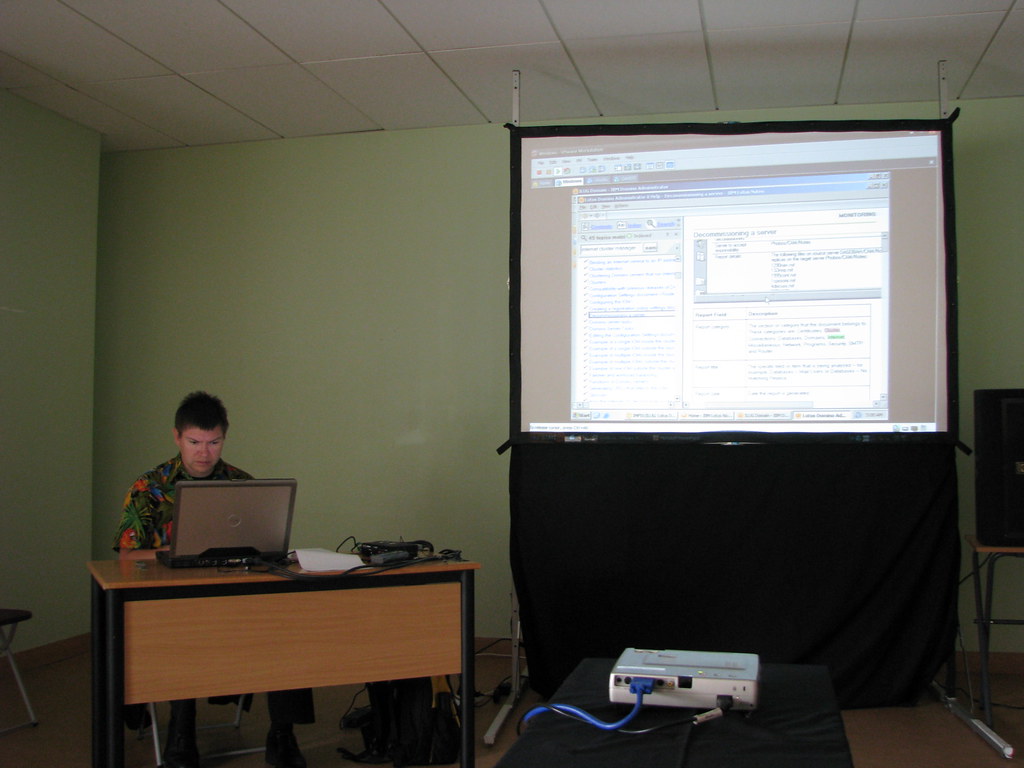
My presentation was on at 9:00 AM. I didn't sleep much. I did one run-through last night and managed to complete in under an hour, but I have a few things I need to make sure I don't forget. I got up at 7:00 AM to make sure I had enough time to get those last things wrapped up and get over to the Conference Center.

I dragged Myron along and we arrived at about 8:00. The usual suspects were already there: Duffbert, Eileen (with "The" notebook attached), Mooney, Mr. & Mrs. Elsmore, Coatsie, Buchan, Matt, and probably a few others I'm missing. Eileen opened the door to Room 3 for me and I went in to set up.

I wasn't nervous as much as I was anxious to get it done in the time allotted. I got my laptop setup and started going through my notes from the night before, getting all my VM's ready. For those who don't know, here is how it was set up:
  • I started with a single Windows Domino 8.0.1 mail server, running in a VM. I also had the Notes client 8.0.1 in this same VM.
  • I pre-installed Ubuntu Hardy Heron and CentOS 5.1 with Domino 8.0.1 in two more VM's, but had not configured them yet
  • During the demo I registered the new servers to create their server docs and id's, configured all the records for them, then brought the new servers online
  • I clustered Windows and Ubuntu
  • I took Windows down and moved it over to CentOS
It was a lot to get done in an hour. So much, in fact, that I don't think I'll attempt it ever again. :-P

I kicked off the session a couple of minutes after 9, and and after a few initial jitters I think it went very well. I only made a couple of slip-ups, such as not checking to see if AdminP had created some replicas before I ended the server, and not updating my hosts files with the new IP after I moved the server over. I recovered from those, though, and managed to barely finish in an hour.


Myron took this while I was getting ready. Yes, I'm reading the help on decommissioning a server and I'm wearing a really loud shirt with macaws all over it.

After my session was over things were a bit of a blur. I got some good feedback, but I'm worried that I covered so much at such a high level that it wasn't as useful as it could have been. I want to thank Gabriella Davis for agreeing to sit in the front row to coach me when I really messed up. I joked that I was going to introduce her, then say she was there in case I fainted, vomited, or started crying. Which I actually did say, so I made good on that. But I didn't do any of the other things.

So at the end of the day I accomplished everything in my agenda, all in an hour. I'm just questioning whether it was really worthwhile. It would be a slick demo from a marketing perspective, but I'm not so sure it's really effective as a session at a conference.

Sunday, June 08, 2008

ILUG 2008 Day 1: Wednesday

Myron headed off for the zoo today so I didn't have a camera. The day started with Paul Mooney, Nick Shelness and Alan Lepofsky doing the keynote. Paul welcomed everyone to Ireland, insulted developers and threatened the lives of end users. Nick brought up a presentation he used in 1998 about the future of collaboration. It was very interesting that the same issues that were at the forefront in 1998 are still the main issues today: indexing and accessing content. Alan went on a Twitter / social networking bent that was interesting, but I'm still not convinced of the utility of this in the SMB space. That's all I work with (by choice), so I don't particularly care what the multi-thousand companies want or need. If you're so big you need software to root through everyone's tagged websites to figure out who knows something, you might want to consider changing your internal divisional communications.

I spent the remainder of the day working on my own presentation. At this point I still had not gotten all the parts of the demo working, but I did have an outline. I worked on finishing up the slides and Gabriella Davis was kind enough to answer some questions between her own issues getting a connection to her servers. (The security at the Conference Center was extremely tight. Nobody could VPN out, which caused some of the presenters a few issues.)

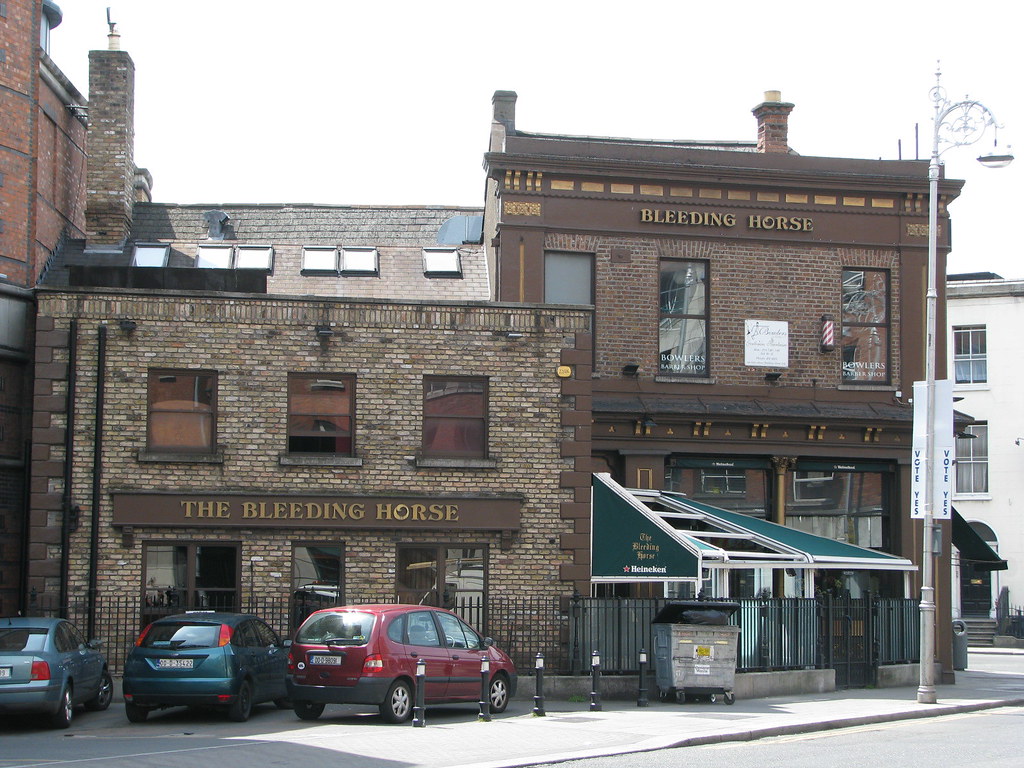
The evening ended with several of us going back to The Bleeding Horse, a pub beside The Camden Court Hotel where many of the attendees stayed.


After dinner we went back to our hotel and I made Myron endure a run-through of my presentation. I got my virtual machines to a ready state, did some snapshots, then went for it. I was close on the time, but I managed to get through it with only a couple of small snags.

ILUG 2008 Day -1: Tuesday

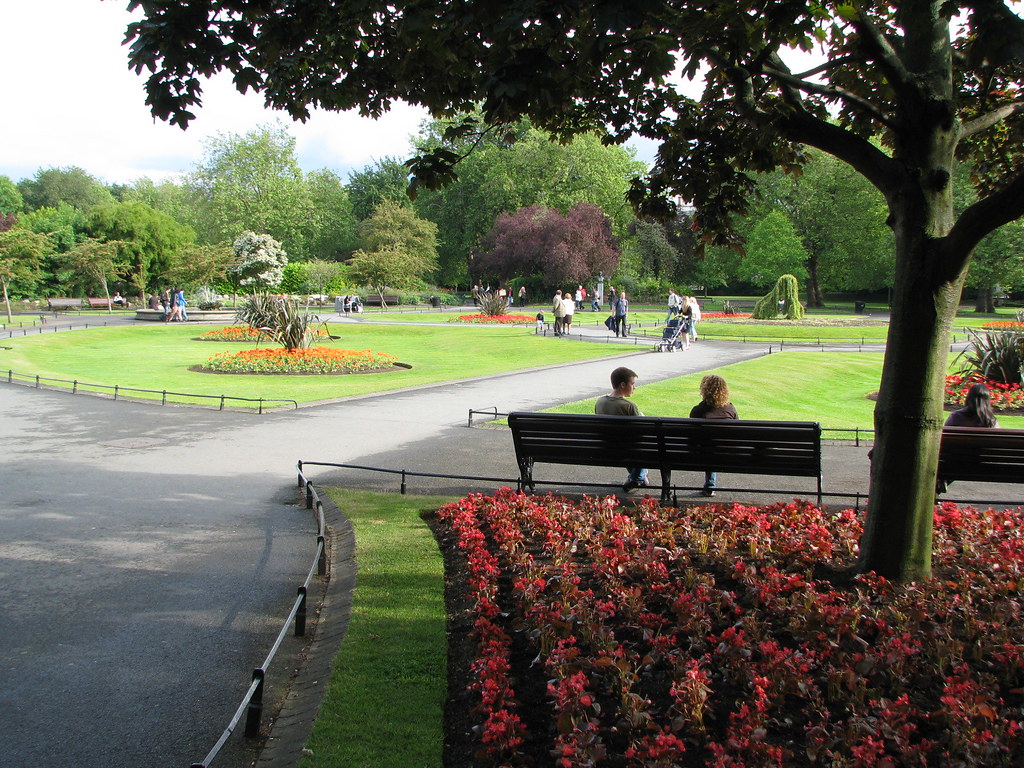
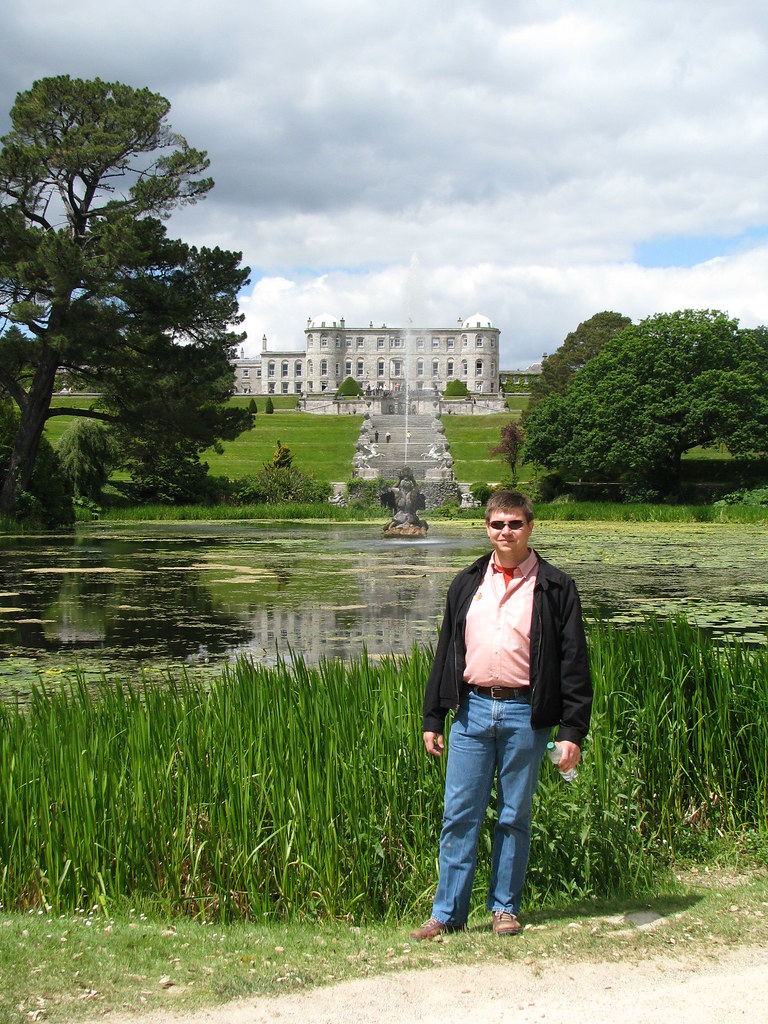
We got up this morning and did a bus trip to Powerscourt Estate. While waiting for the bus we stopped in Marks & Spencer for a bit of breakfast, then sat on a bench and watched the world go by. I just have one thing to say: I'm glad I didn't drive in Dublin.

The trip to Powerscourt was uneventful. The driver talked almost nonstop and was full of information that I've forgotten now. There were a couple of ladies seated behind us who insisted on talking to each other for the 90 minutes of the bus ride. I was thankful for a break in the seaside town of Bray just so I could away from their incessant jabbering.


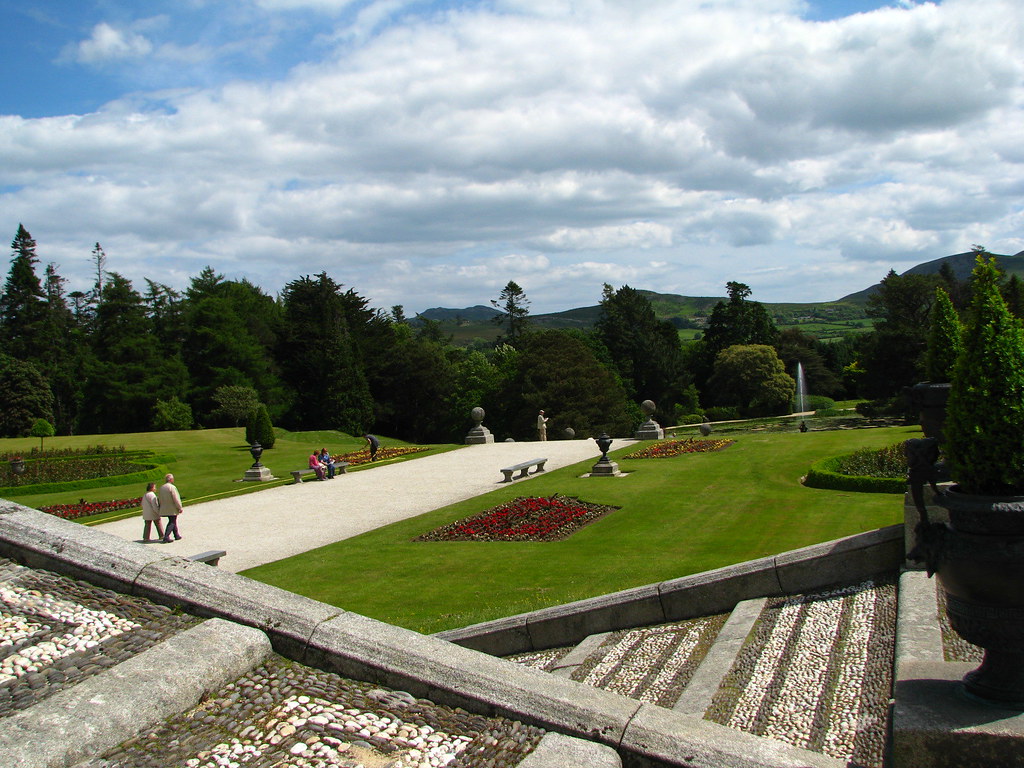
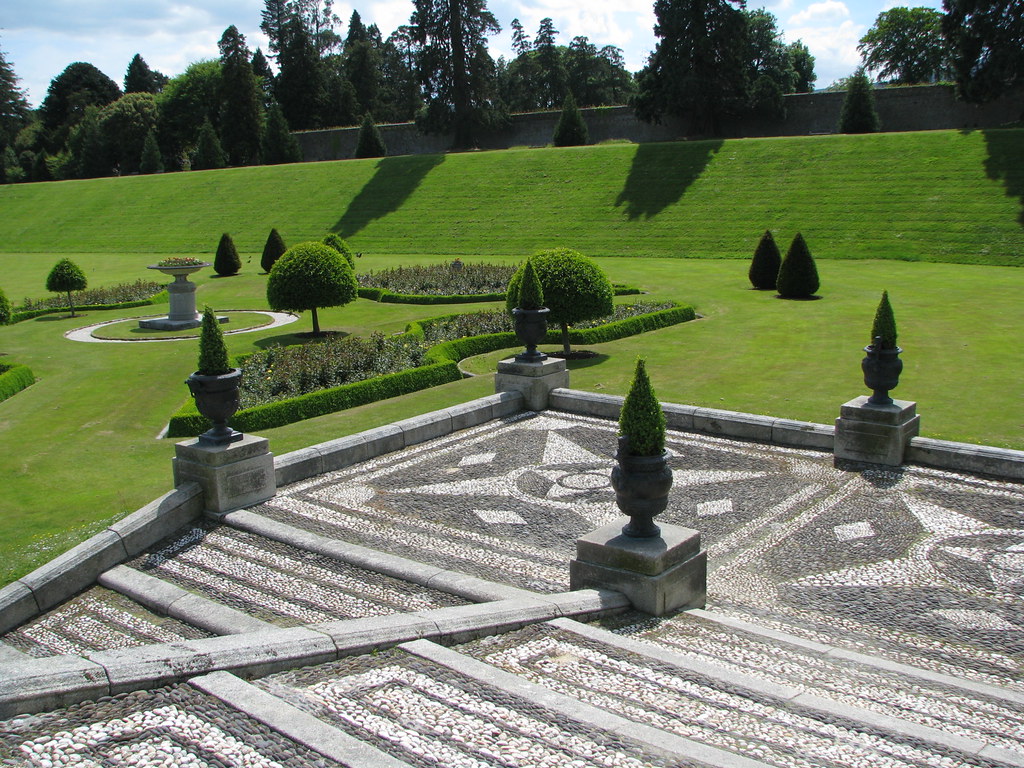
Powerscourt Estate was absolutely amazing. The house is beautiful and the gardens are stunning. If you get a chance to go, go!


After that trip we went back to our hotel, dropped off some stuff, then set out to find the Griffith Conference Center. For anyone who hasn't been to Dublin, there are two key things you need to know: manh streets change names every block, and there are rarely any street signs. You pretty much just have to aim in a direction and carry multiple maps so you can cross-reference where you might be.

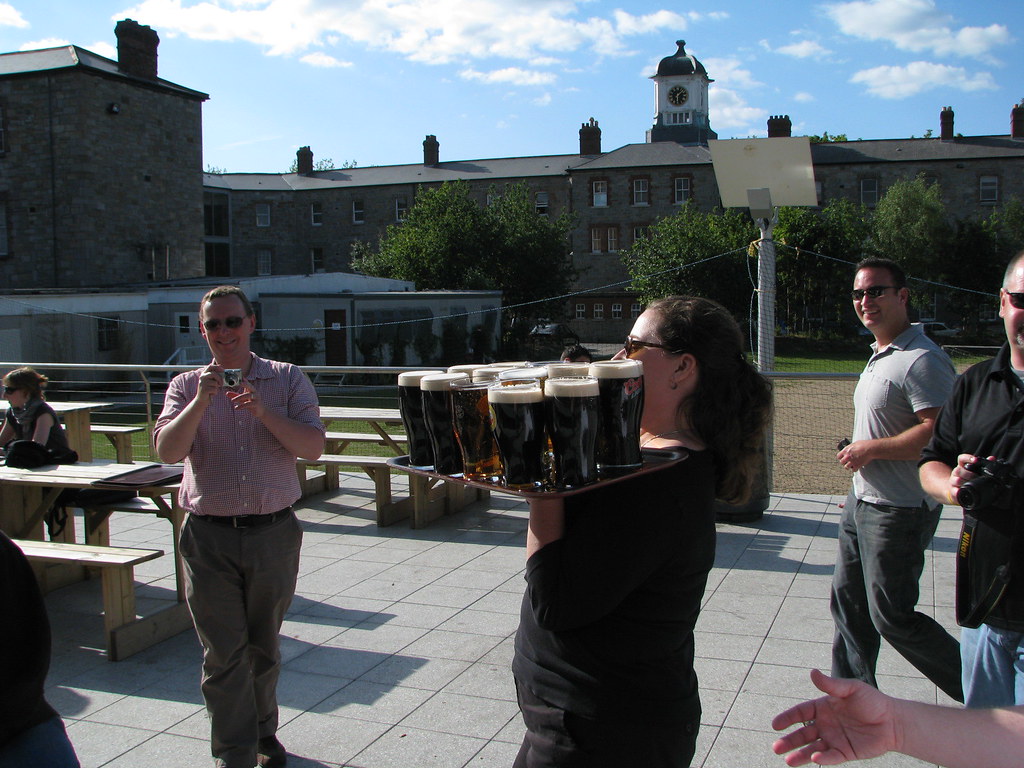
When we finally found the Conference Center we came across a group of ILUG'ers sitting on the outside patio, marvelling at the bright ball in the sky. We had to explain it was called the "sun", and provides warmth to the whole Earth. The people from the UK and Ireland seemed impressed.


Friday, June 06, 2008

more ILUG posts to come soon

I've been sick this week (culminating with spending most of today in bed), and extremely busy getting my presentation together, so I apologize for the lack of posts. I'm flying out in the morning and should catch up on everything on Sunday. Until then, feel free to wander through my Flickr album for ILUG and Dublin. I need to rework it a bit and split out the things that aren't specifically ILUG, but you'll get a pretty good idea of what we have been doing.

ILUG 2008: Day -2 (Monday)

We flew in Sunday and stayed up until midnight local time, which was only 7PM for us. But that meant we had been up since 8AM Saturday, making it nearly 36 hours. Consequently, we managed to ignore all our wakeup calls and alarms and finally rolled out of bed at nearly 11:40 AM. We originally planned to do a bus tour to Powerscourt, a castle with wonderful gardens about two hours from Dublin. Instead I opted to do the responsible thing and stayed at the hotel working on my presentation while Myron headed off for the Bloom festival.


Later that evening we went to dinner with Jamie, Bob Balaban and Bob's daughter Samantha. We had a wonderful meal at Gallagher's Boxty House, then strolled back to our respective hotels.


Jamie, Bob, Samantha, Charles and Myron

ILUG 2008: Day -3 (Sunday)

Our room at the Fitzwilliam HotelTravel delays plagued us all day Saturday, but we did finally arrive in Dublin only about 90 minutes late. We took a bus to our hotel, the Fitzwilliam on St. Stephen's Green at the end of Grafton Street. The hotel is 5-star and listed by Conde Nast as one of the top 20 coolest hotels in the world. Myron found a deal on Skyauction and got the room for $180 US per night. The regular rate is $505 US.


Magpie and chimney pots in downtown DublinWhen we finally got settled in I decided to get in touch with Jamie Magee, who had flown in on Sunday as well. It was also an opportunity to find the Camden Court Hotel, which is where a lot of attendees would be staying. Finding the hotel was relatively easy, and when I called Jamie's room I accidentally woke him up. We decided that Myron and I would get lunch while Jamie got his beauty rest, then the three of us would go to the Guinness tour.

We had a great lunch at a Lebanese restaurant, came back and collected Jamie, then were on our way to Guinness. Along the way we got turned around a few times since Dublin has very poorly marked streets, and street names change every block.

Me and Jamie at the Gravity BarThe Guinness tour wasn't really that interesting to me. We had been to the Bass Brewery tour, which gives you a much better idea of how beer is actually made. Guinness' approach was all about "we're better than everyone" "everyone wants to copy us" "you're stupid if you don't like Guinness". Once you got beyond the preachy rhetoric, the sections on merchandising were wonderful. It was fun to see how Guinness was marketed throughout the years.

After that it was a stroll back to our hotels, then out for dinner.


An interesting shop on Grafton StreetPart of the old Dublin city wall

Thursday, May 29, 2008

Spoleto Festival 2008: the break/s

From the Spoleto website:
Forged by the charismatic poet/hip-hop theater sensation Marc Bamuthi Joseph and featuring live music by remarkable human beatbox/percussionist Tommy Shepherd and DJ Excess with video by David Slzasa, the break/s explores the ascendancy of hip-hop worldwide. This dynamic new work puts hip-hop culture into personal, historical and political perspective while erasing boundaries between movement, spoken word, personal storytelling, and poetic revelation.

I'm not sure what about that spoke to me, but when I read it in the program I knew it was something I had to experience. I'm of the generation that grew up as rap and hip-hop was being forged in a crucible of agitated inner city youth and gangster and drug cultures. I watched it turn from fringe street music into a massive business, with the requisite wannabe's and sell-outs. I was curious what led to it being kicked off at that specific point in time, what drove that genesis. That journey is what Mark Bamuthi Joseph explored.

"This story starts in the middle..."


The performance was divided into several stories, all of which started in the middle of somewhere. The locations were as diverse as Wisconsin, Senegal, and unconsciousness. Marc performed a mix of dance, spoken word, rap and storytelling against a backdrop created by three large screens playing various videos to emphasize key points.

Those points were at times funny, touching, biting, introspective and self-loathing. No subject was too taboo, no cows too sacred. It was enlightening for me, a middle-class white man, to get a glimpse inside the mind of someone with a very different racial and socioeconomic background. It was also refreshing to see someone who has street cred to admit his own failings of ego and racism, such as the time he walked into a Tokyo hip-hop night club and expected to be treated like royalty only to end up standing in the corner by himself, ignored.

"The more acceptance I get from others, the less I accept myself."


I walked away from this performance with a better understanding of how hip-hop came about, from its roots in Africa through the birth of jazz and eventual social acceptance. I also understand now how people who grew up in the struggle that birthed hip-hop can undergo an identity crisis when people who are not part of their socioeconomic class want to participate. Validation of their art isn't what they were originally after. They were telling the story of their oppression. Now we're seeing the people who do it for the artistry and that's causing some internal struggles.

It was an interesting performance that will be food for thought for a very long time.